
Soon after renewing its Microsoft licenses, the finance team at a mid-sized Malaysian distributor opens their inbox on a Monday morning and finds 40 supplier invoices still waiting. Normally, a Power Automate flow reads each invoice, picks out the amounts and fills in the system before anyone arrives. Today it did nothing. No one changed the flow. No one broke anything. The AI step simply had no credits left to run on.
This is the kind of quiet failure Microsoft's latest licensing change can cause if nobody plans for it.
What changed on 1 November 2026
Many apps and flows use AI through AI Builder: reading documents, sorting requests, writing short summaries. Until recently, most of that AI was paid for with AI Builder credits. On 1 November 2026, Microsoft took the last big step in ending those credits. (End of AI Builder credits (Microsoft Learn))
- AI Builder capacity add-ons retired. Existing add-ons keep their credits until the end of the current subscription term. Microsoft asks that auto-renew be turned off. (Partner Center announcements, October 2026 (Microsoft Learn))
- New or renewed licenses no longer include "seeded" AI Builder credits. Licenses such as Power Apps Premium, Power Automate Premium and some Dynamics 365 apps, like Dynamics 365 Finance, used to come with them. Licenses bought or renewed before 1 November keep their seeded credits until the end of the contract term. (AI Builder licensing overview (Microsoft Learn))
The AI still works, but it needs a new fuel
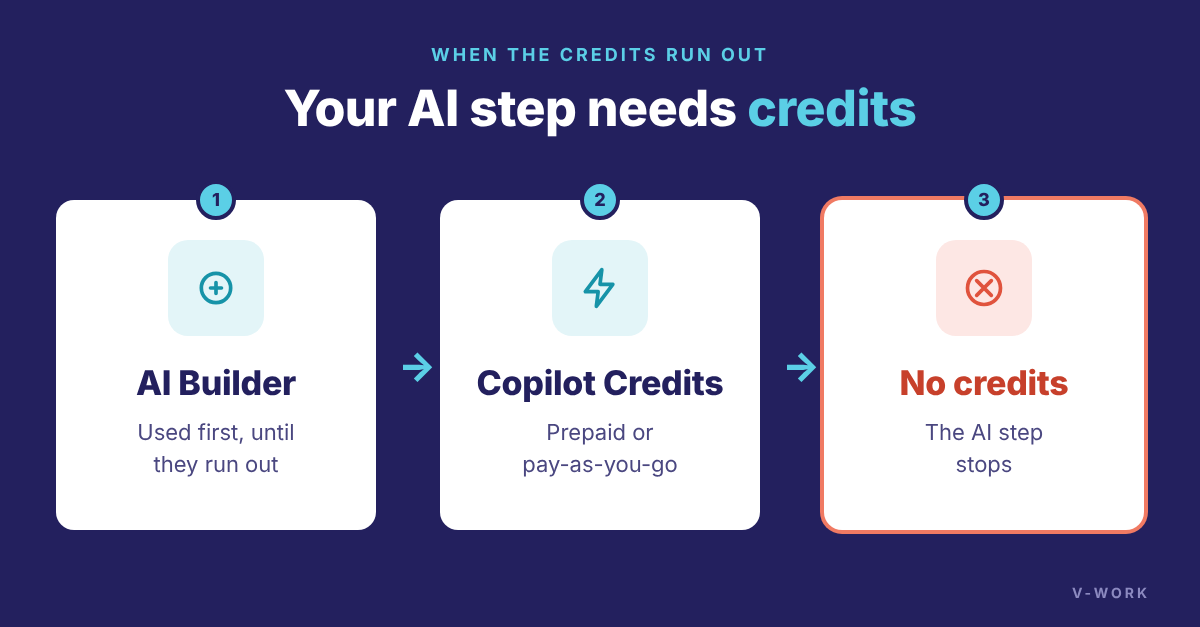
The AI features stay. What changed is how they are paid for. In Power Apps and Power Automate, they use any remaining AI Builder credits first, then Copilot Credits. Old credits are not converted automatically. Copilot Credits can be bought upfront or billed pay-as-you-go.
Here is the part that matters most: if neither AI Builder credits nor Copilot Credits are available, the AI step stops. That is exactly what happened in the Monday morning story.
Why it can catch you by surprise
The change does not hit everyone on the same day. It hits at each company's next renewal. If your licenses renew in January, your seeded credits end in January. If you renewed in August, they last until next August. The date is easy to miss, because nothing looks different until the credits run out.
Credits are also counted month by month. A busy flow can use up its monthly credits early, so planning ahead helps even before your renewal. Unused credits don't roll over.
Prompt columns: a reason usage will grow
Dataverse prompt columns store an AI answer on each record, such as a summary or a risk note. The prompt runs when a record is created or when one of the fields it reads changes, and it uses credits each time. (Prompt columns (Microsoft Learn)) From 16 November 2026, Microsoft plans to let new prompt columns return multiple lines of text, so the answers can be longer and more useful. Existing prompt columns keep working but don't get this option. (MC1515841, Microsoft 365 Message center) More useful AI usually means more AI use, and more credits.
Are you affected? Three questions to ask your IT team
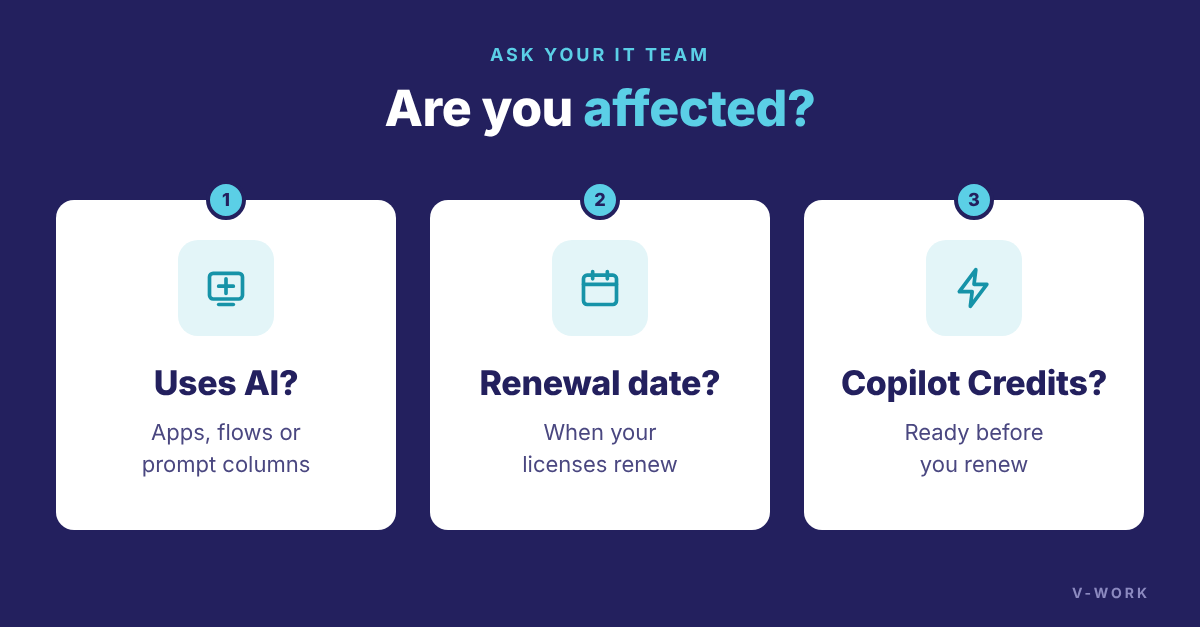
- Do any of our apps, flows or tables use AI Builder or prompt columns?
- When do our Power Platform or Dynamics 365 licenses renew?
- Have we set up Copilot Credits before our next renewal?
If the answer to the first question is yes, and the third is no or "not sure", two simple steps help:
- See what you use today. The Power Platform admin center shows daily credit use for each environment, and the AI Builder activity report in Power Automate shows the estimated credits each AI run used.
- Run AI only when it adds value. Microsoft is rolling out an option that lets prompt columns run only when a record meets certain conditions, which cuts unnecessary credit use. It may not be in every region yet.
How V-Work can help
If you are looking for an AI solution in Malaysia that keeps running through licensing changes like this one, V-Work can help. We design, build and support Power Platform solutions that use AI Builder, Dataverse and Copilot Studio. Our AI Builder credit check finds the AI in your environments, reads your actual credit use, matches it to your renewal dates and recommends a Copilot Credits plan, so your flows keep working. Contact us to book a check before your next renewal.