
Picture this. It is April 2027. A staff member opens the HR page on SharePoint and asks the HR policy agent how many leave days they can carry forward. All it shows is a message that the agent needs an upgrade. The agent answered hundreds of questions last year. It has stopped because nobody upgraded it. Everyone assumed Microsoft would do it.
Microsoft will not. Many teams built their first AI agent straight from a SharePoint site. Each of those agents now needs a decision from its owner.
What Microsoft has announced
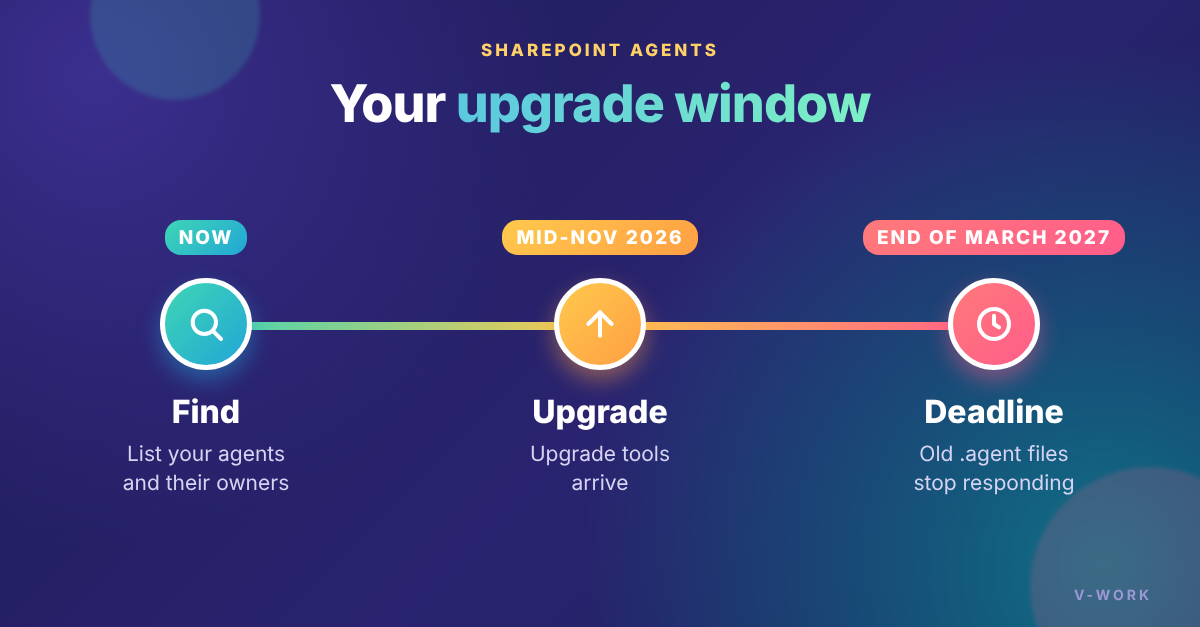
- Agents saved as ".agent" files keep working in SharePoint, Teams and the Copilot app until the end of March 2027. After that, they stop responding.
- From mid-November 2026, new agents made from SharePoint or OneDrive use Microsoft Copilot Agent Builder. They are no longer saved as .agent files.
- Also from mid-November, an "Upgrade to Microsoft 365 agent" button appears. So does a new skill that turns an agent into a skill.
- There is no automatic upgrade. The agent owner or site owner has to choose what happens to each agent.
Agents in SharePoint are not going away. Only the .agent file format is. In future, the main way to put an agent on a page is the Agent Chat web part. It goes into preview in November 2026, and general release is targeted for January 2027 (Microsoft 365 Roadmap 575298). We covered it in our 30 October article, "SharePoint Agent chat is coming: is your content ready?"
The part most teams will miss: who can still use it
A .agent file follows SharePoint file permissions. It often inherits access from its site or library. An upgraded agent works differently:
- The owner shares it with people, groups or email addresses, not SharePoint groups.
- If the old agent was shared with everyone in the organization, that access carries over. If not, the upgraded agent is private to the person who upgraded it.
- Access to the agent does not give access to its content. Users need permission for both the agent and the files it reads.
- Staff will find it in a new place. An upgraded agent can't sit in the site's chat pane. Site owners add it to a page with the Agent Chat web part instead.
- Usage history does not move across. Save any old usage reports you need first.
- Teams chats and channels need the agent removed and added again.
For any company that relies on SharePoint document management in Malaysia, this is the step to watch. If you get it wrong, staff are locked out on day one, or the wrong people get access.
Keep, convert or delete? A quick check for each agent
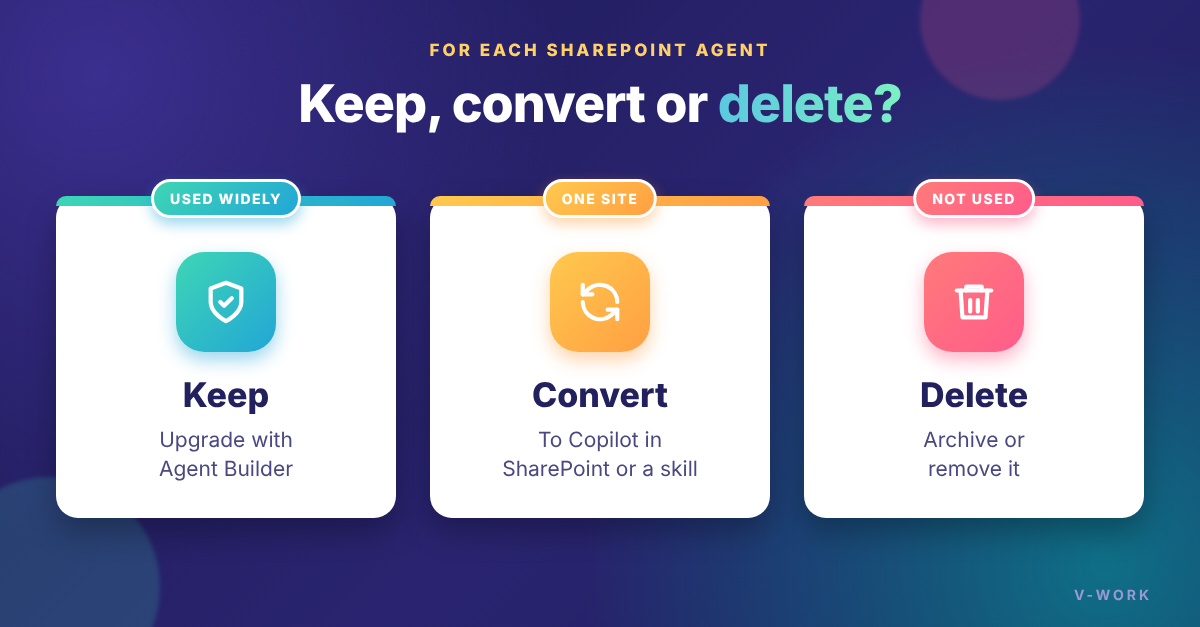
- Keep – Is it a named "expert" that people use across SharePoint, Teams and Copilot? Upgrade it with Agent Builder. Was it built in Copilot Studio? You don't need to rebuild it. Publish it to the Copilot app and Teams.
- Convert – Does it only answer questions about one site? Use Copilot in SharePoint directly. You may not need an agent at all. Does it do one repeatable task on the site, like drafting or reviewing a document? Turn it into a skill. A skill works only inside that site, not in Teams or the Copilot app.
- Delete – No recent use, or no clear owner? Microsoft suggests you archive or delete it rather than upgrade it. Deleted files go to the recycle bin.
Check licensing before you choose
- The SharePoint agents pay-as-you-go billing you may use today covers only old .agent files.
- Upgraded agents follow the Copilot app's licensing. Use by staff without a Copilot license is billed through Copilot app pay-as-you-go.
- Copilot in SharePoint and skills need a Microsoft Copilot license for each user who uses them.
So before you pick a path, check who uses each agent and whether they have a Copilot license.
Where to start
Start with the agents that matter most. These are ones that are busy, shared widely, placed on pages, added to Teams, or paid for through pay-as-you-go. To find them:
- Agent owners can open "Owned by you" in Build in SharePoint.
- Admins can use SharePoint Advanced Management agent reports or the agent registry.
Only someone who can edit an agent can upgrade it. If your team uses an agent someone else built, ask its owner or the site owner what the plan is.
Then test each replacement with real users and familiar questions before you switch over. Delete the old file once the new one works. Microsoft says this is the easiest way to track what is left.
How V-Work can help
V-Work designs and supports SharePoint document management and Copilot in SharePoint for Malaysian organizations. If you're not sure which agents to keep, convert or delete, contact us. We can help you plan the move well before March 2027.