Microsoft has rolled out significant enhancements to SharePoint page creation, making it faster, more intuitive, and far more accessible for nontechnical users. These updates focus on readymade templates, better discovery, and a more guided authoring experience, removing many of the barriers that previously slowed down page creation.
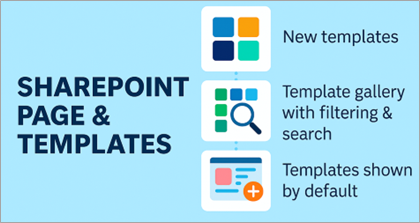
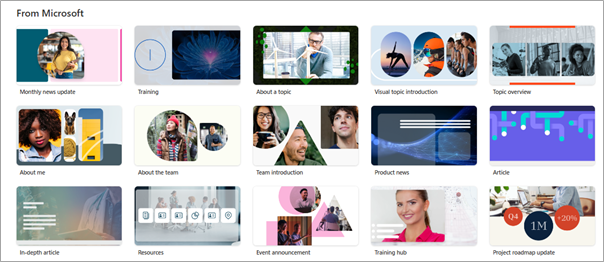
Microsoft SharePoint Update 1: 31 New Page and News Templates
Microsoft SharePoint now offers professionally designed templates for pages and news posts, covering common business scenarios such as:
Announcements and internal communications
Storytelling and employee updates
Video focused content
Department and project information pages
These templates provide structured layouts, predefined sections, and content placeholders, helping users get started immediately without worrying about design decisions.
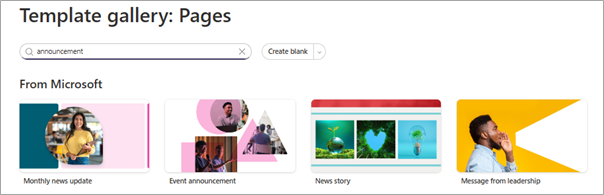
Microsoft SharePoint Update 2: Improved Template Gallery with Search & Filtering
The page template gallery has been enhanced to make templates easier to discover:
A search function helps users quickly find the right layout
Browsing templates is more visual and intuitive
This reduces the trial and error approach previously required when choosing layouts, especially for users unfamiliar with Microsoft SharePoint page design.
Microsoft SharePoint Update 3: Templates Shown by Default (No More Blank Pages)
One of the most impactful changes is that templates are now shown by default when users create a new page or news post.
Instead of starting with an empty canvas, users are guided to select a template first. Once selected, the template opens automatically in the correct format, ready for content editing.
This small change dramatically improves the user experience, especially for first-time content authors.
 Rasyiqah Binti Abd Razak