
Most company intranets have the same problem. The information is there, but nobody reads it. A policy runs to 30 pages. A process lives in an old slide deck. A monthly update sits in a spreadsheet that only one person understands.
Microsoft has started rolling out a feature that helps: HTML pages in SharePoint. It is good news for anyone who looks after SharePoint document management in Malaysia. But there is a catch in the AI part, and it is worth knowing before you announce anything to your staff.
What is rolling out now
SharePoint can now show HTML files as pages. The pages are stored in the site's Site Pages library. You can edit them further and share them with your audience, and they sit alongside the SharePoint pages you already use. (Microsoft 365 Roadmap 569208)
HTML gives you more freedom than the standard page layouts. Think of an interactive policy summary, a step-by-step process guide, or a status page that people actually read.
Microsoft changed the status of this feature to "Rolling out" on 11 November 2026. It is general availability, worldwide, on the web. (Microsoft 365 Roadmap 569208) Microsoft says the rollout runs from mid-November to late December 2026, so some organizations will see it before others. No admin action is needed before it arrives. (Message center MC1479517)
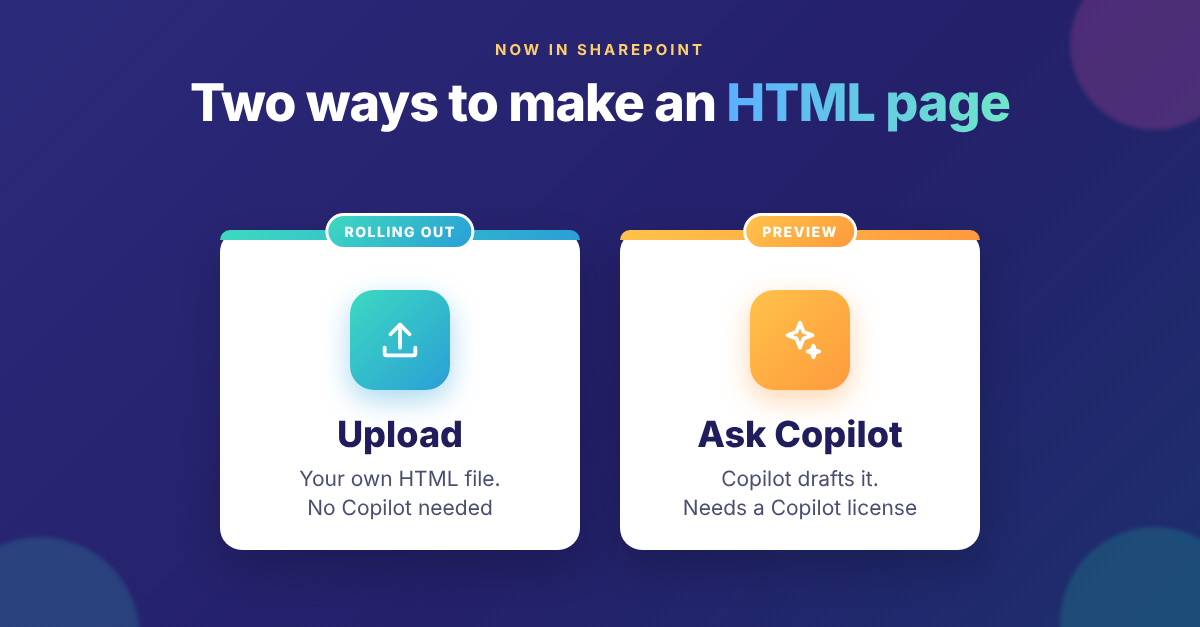
Two ways to make a page
- Upload your own HTML. Your team, or a partner, builds the HTML elsewhere and uploads it as an .html file. This route does not need Copilot.
- Ask Copilot to draft it. Copilot in SharePoint creates the HTML for you from a prompt. This route needs Copilot in SharePoint, and users need a Microsoft 365 Copilot license. (Microsoft Learn)
Either way, the usual rules apply. Microsoft says publishing an HTML page does not grant any new permissions, and your existing storage and retention settings still apply. (Message center MC1479517)
The catch: Copilot in SharePoint is still in preview
The HTML pages feature is generally available. Copilot in SharePoint, the AI that drafts the pages, is not there yet.
Microsoft's roadmap entry for Copilot in SharePoint was updated on 11 November 2026. It says: "We are still in development for GA and have launched to Preview only." (Microsoft 365 Roadmap 501451) Preview features can still change before the full release.
Microsoft's own pages don't agree yet: Microsoft Learn says Copilot in SharePoint began rolling out on 30 September 2026. So before you tell staff "Copilot will build your pages", check what your own tenant shows. (Microsoft Learn) Uploading HTML is generally available and reaching organizations now. Drafting pages with Copilot is still a preview experience.
What the Copilot license covers, and what costs extra
Microsoft Learn says everyday Copilot in SharePoint work is included with the Microsoft 365 Copilot license. That includes creating HTML, Word, Excel and PowerPoint files, and creating and editing pages.
Work at large scale is different. Creating whole sites, or creating pages and files in bulk, is "advanced work". It uses Copilot Credits through usage-based billing. An admin must turn this on with a spending policy in the Microsoft 365 admin center. Copilot asks users to confirm before it starts spending credits. (Microsoft Learn)
You stay in control of where Copilot appears
- Site AI settings let a site owner hide the Copilot button on site pages for visitors.
- Restricted Content Discovery still works. If it is on for a site, Copilot in SharePoint does not appear on that site. (Microsoft Learn)
This matters because Copilot only shows content that a user already has permission to view. If a library is shared too widely, Copilot can surface it to anyone who has access. (Microsoft Learn) Good results start with good permissions.
What Microsoft has not said yet
Two questions matter to anyone who manages a document management system. Can admins switch HTML pages off for some sites? And what happens to scripts inside an uploaded HTML file? Microsoft has not published the answers in the sources we checked. Until it does, test both on a pilot site before you open the feature to everyone.
Five checks before you roll it out
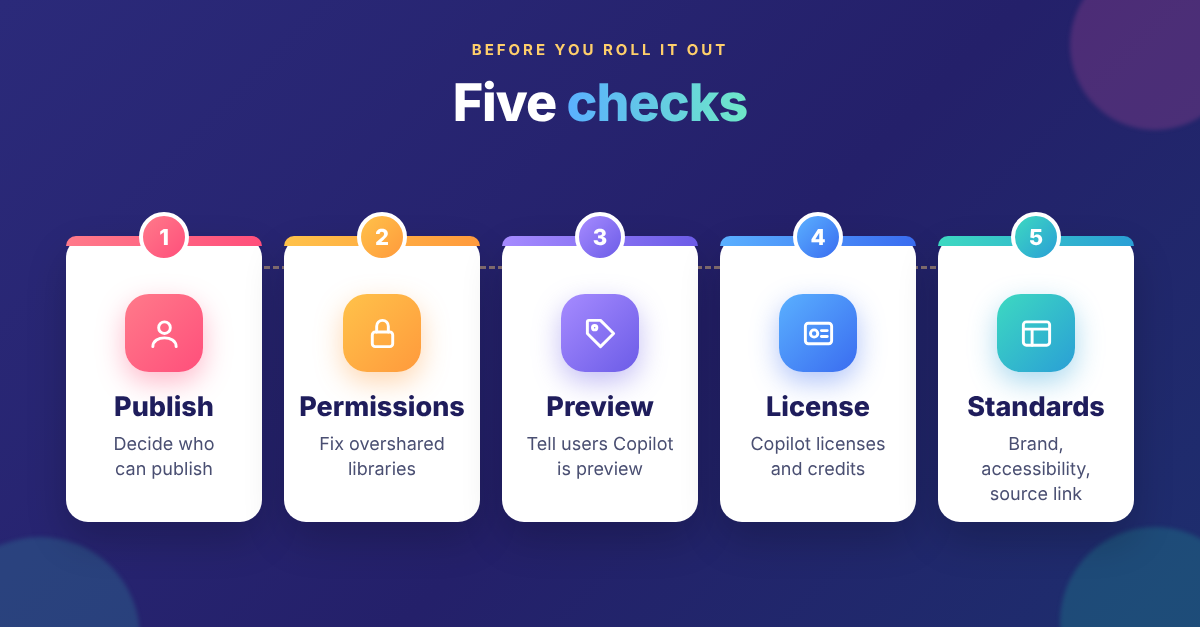
- Decide who publishes. Agree which sites and owners may publish HTML pages, and who reviews them.
- Fix oversharing. Tidy library permissions before anyone asks Copilot to draft from them.
- Label the preview. Tell users that Copilot drafting is a preview feature, so nobody is surprised if it changes.
- Check licenses and credits. List who has a Microsoft 365 Copilot license, and decide if any team needs Copilot Credits for bulk work.
- Set page standards. Agree on branding, accessibility, and a link to the approved source document on every page.
Start small
A good first step is one pilot site with real content, such as a policy summary page that links to the approved policy document. Build it by uploading HTML first. Then let users with a Microsoft 365 Copilot license try Copilot drafting on the same site. You will learn quickly what works for your staff.
V-Work designs and supports SharePoint document management in Malaysia, and helps organizations plan an AI solution in Malaysia that they can trust. If you would like help setting up publishing rules, permissions and your first HTML pages, talk to V-Work.