
 Rasyiqah Binti Abd Razak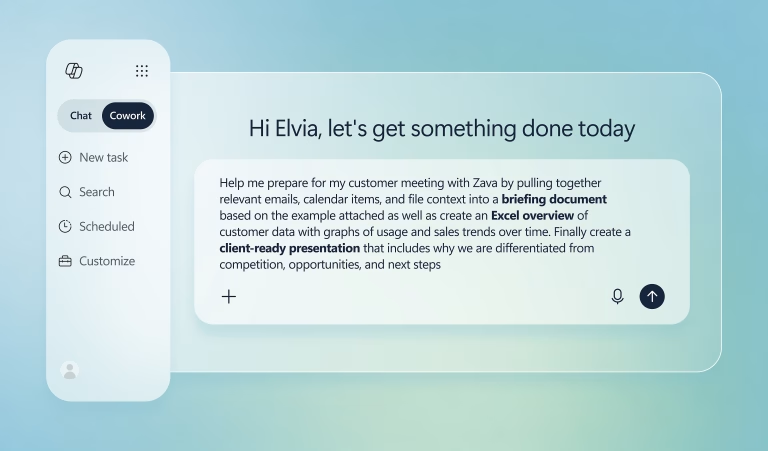
Sales and service teams already have plenty of customer data. The challenge is turning that data into timely action.
Microsoft Copilot Cowork helps teams delegate multi-step tasks across Microsoft 365 and Dynamics 365, using CRM records, emails, meetings and knowledge content to prepare useful next steps for review.
For organizations using Dynamics 365 Sales or Dynamics 365 Customer Service, this can help teams respond faster, reduce manual work and stay focused on customers.
What It Does
Users can describe what they need in natural language, such as preparing for a customer meeting, summarising a service case or drafting a follow-up.
Copilot Cowork then uses available information from Microsoft 365 and Dynamics 365 to suggest the next step, while users remain in control.
How It Helps
- Copilot Cowork can support common sales and service activities, including:
- Preparing customer or account summaries before meetings.
- Drafting follow-up emails and suggested next actions.
- Summarising service cases and preparing handover notes.
Why Governance Matters
Copilot Cowork is designed to support users, not replace their judgement. It works with existing Microsoft permissions and keeps people involved before actions are completed.
- Users can review, edit, or approve suggested actions.
- Information access follows existing user permissions.
- IT teams can manage availability and rollout.
Getting Started
Before adopting Copilot Cowork, organizations should review licensing, environment readiness, security settings, and suitable use cases.
A practical first step is to identify where teams spend time switching between systems, searching for information, or preparing repetitive customer updates.
V-Work can help assess the right use cases, readiness, licensing, and governance approach for your organization.
Contact Us for More Information
Sales & General Contact Channel: enquiry@v-work.company
Website: https://v-work.net/
LinkedIn: https://www.linkedin.com/company/v-work/posts/?feedView=all
Blogs: https://v-work.net/blogs/